


Best AI Tool for Student: The Complete Guide to Studying Smarter in 2026
The way students study has fundamentally changed in the last three years.
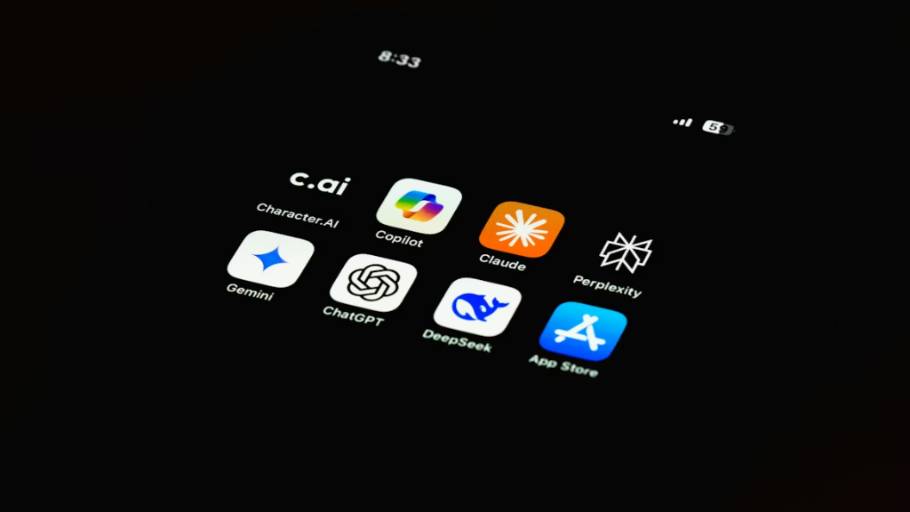
The way students study has fundamentally changed in the last three years. Where a struggling student in 2022 might have spent hours searching for explanations online or paid for tutoring they couldn’t really afford, the same student in 2026 has free access to AI tools that explain concepts at any level, help structure essays, generate practice questions, and organize study materials. The advantage is real for students who use these tools properly.
The complication is that universities and schools are still figuring out where the line sits between legitimate AI-assisted learning and academic dishonesty. The best AI tool for students isn’t the one that does work for you. It’s the tool that makes you understand material faster, retain it better, and produce stronger work that’s genuinely your own.
This guide covers the actual best AI tools for students in 2026 across the major academic challenges, with honest assessments of what each tool does well, where it falls short, and how to use it without crossing academic integrity lines.
What Students Actually Need from AI Tools
Before picking any tool, understand the four academic problems AI can genuinely solve.
Concept comprehension: When something in your textbook or lecture doesn’t click, AI can explain it differently. A good chatbot can rephrase the same idea five different ways until one of them makes sense for you.
Note organization and review: Lectures move fast. Notes pile up. AI can help organize, summarize, and create study materials from your own captured information.
Writing support: Academic writing has specific conventions that take years to learn naturally. AI can show you better structures, catch errors, and improve clarity without writing your paper for you.
Memorization at scale: Medical school, law school, language learning, and competitive exams require memorizing massive amounts of information. AI-augmented spaced repetition makes this dramatically more efficient than passive review.
The best AI tool for students depends entirely on which of these problems you’re trying to solve. Trying to use one tool for all four typically produces worse results than picking the right tool for each specific task.
1. Claude: Best for Academic Writing and Long-Document Analysis
Claude (by Anthropic) is one of the strongest AI tools for students who write essays, analyze long documents, or work on complex research. Many serious university students prefer Claude over ChatGPT specifically because Claude’s output tends to read more naturally and handles longer context windows better.
For uploading long research papers, multi-chapter textbook sections, or complex case studies and asking detailed questions about them, Claude consistently performs well. For drafting essays where the final output needs to actually sound like you wrote it (rather than obviously AI-generated), Claude produces more natural prose than most alternatives.
Pricing: Free plan with reasonable daily limits. Claude Pro is $20/month with extended limits and access to more powerful models.
Best for: Academic essays, long document analysis, careful research summaries, writing that needs to pass AI detection scrutiny.
Limitations: Can be more cautious than other tools, sometimes refusing requests other AIs handle. Free tier has stricter usage limits than ChatGPT free.
2. ChatGPT: Best Overall AI Tool for Students
ChatGPT remains the most versatile single AI tool for student daily use because of how much it covers in one place. It explains concepts at any level, analyzes uploaded documents, generates practice questions, simulates exam scenarios, helps brainstorm essay topics, and walks through problems step by step.
What makes ChatGPT the best AI tool for students who need flexibility is how it adapts to whatever you throw at it. Same tool handles biology revision, economics essay drafting, Python homework, and French vocabulary practice. The custom GPTs feature lets you build subject-specific study assistants that stay focused on relevant material.
Pricing: Free plan covers most daily study needs. ChatGPT Plus is $20/month with Deep Research, expanded file uploads, custom GPTs, and access to advanced models.
Best for: Daily study questions, concept explanation, brainstorming, practice problems, coding help, exam preparation across multiple subjects.
Limitations: Can hallucinate facts confidently. Output sometimes obviously AI-generated. Less reliable for citations than Perplexity.
Unlock advanced reasoning and file analysis at OpenAI ChatGPT.
3. Google NotebookLM: Best for Working With Your Own Materials
Google NotebookLM is one of the most genuinely useful additions to the student toolkit in 2026. It’s the best AI tool for students who need to study from their own lecture notes, textbooks, and research papers rather than asking generic questions.
You upload your materials and NotebookLM creates an interactive study assistant constrained to those specific sources. It won’t fabricate information from general training data because it’s only answering from what you uploaded. This makes it dramatically more trustworthy than general chatbots for exam revision.
The Audio Overview feature converts your uploaded documents into podcast-style conversations between two AI voices that explain the material. For students who study better through listening (during commutes, gym sessions, household tasks), this feature alone justifies using NotebookLM.
Pricing: Free with a Google account. NotebookLM Plus through Google AI Premium subscription for higher limits.
Best for: Exam revision from your own materials, summarizing complex documents, audio review for auditory learners, course-specific study assistants.
Limitations: Only as good as the materials you upload. Won’t fill gaps in your source material.
4. Anki: Best for Serious Memorization
Anki isn’t AI-first, but it remains the gold standard memorization tool for students who need to retain massive amounts of information long-term. Medical students, law students, language learners, and competitive exam candidates consistently rank Anki as their single most valuable tool.
The spaced repetition algorithm shows you cards just before you would forget them, dramatically improving long-term retention compared to traditional flashcards. AI integrations now generate cards automatically from textbook chapters and lecture notes, bringing Anki into modern AI-augmented study workflows.
The interface is genuinely ugly. The learning curve is real. But for serious memorization needs, the results justify the friction.
For Pakistani students preparing for CSS, PMS, and other competitive exams, Anki specifically dominates among serious candidates. Shared community decks for current affairs, English vocabulary, Pakistan affairs, and Islamic studies significantly accelerate preparation.
Pricing: Free on desktop and Android. AnkiMobile iOS is a one-time $24.99 purchase.
Best for: Medical school, law school, language learning, CSS/PMS preparation, vocabulary, serious long-term retention needs.
Limitations: Steep learning curve. Setting up good cards takes time investment.
5. Quizlet: Easier Alternative for Memorization
Quizlet is the more accessible alternative to Anki for students who want spaced repetition without the technical complexity. The Magic Notes feature generates flashcards and practice tests automatically from any uploaded PDF or pasted notes.
Quizlet’s algorithm isn’t as scientifically rigorous as Anki’s, but it’s significantly easier to start using. Good fit for school-level subjects, basic memorization needs, and students who find Anki too intimidating.
Pricing: Free plan covers basic study modes. Quizlet Plus is $7.99/month or annual pricing.
Best for: Memorization-heavy subjects, easier flashcard generation, school-level revision, standardized test prep, students who find Anki too complex.
Limitations: Less powerful than Anki. Free tier has ads.
6. Perplexity AI: Best for Research with Sources
Perplexity is the best AI tool for students who need fast, reliable information with sources they can verify. Unlike chatbots that generate answers from training data without revealing sources, Perplexity reads real-time web sources and returns synthesized answers with inline citations.
Every claim links back to its source, making fact-checking and bibliography building dramatically faster than traditional search-engine-based research. For students writing literature reviews, research papers, or essays requiring credible sourcing, Perplexity replaces hours of search engine scrolling.
Pro tip: use Perplexity for initial research, then read the actual sources it cites. The AI synthesis is the starting point, not the final answer.
Pricing: Free plan with full search. Perplexity Pro is $20/month with access to more powerful models.
Best for: Research starting points, fact-checking, finding credible sources quickly, current events, fast-changing fields.
Limitations: Quality depends on available online sources. Sometimes surfaces less authoritative sources.
7. Grammarly: Best for Writing Polish (With Caveats)
Grammarly remains the most established AI writing assistant and integrates directly with Google Docs, Microsoft Word, and most browsers. The 2026 version includes academic tone adjustment, plagiarism detection, citation suggestions, and rewriting assistance.
Important caveat: The “draft with ChatGPT, polish with Grammarly” workflow that some guides recommend often crosses into academic dishonesty territory. Most universities consider AI-generated work polished for submission to be plagiarism. Grammarly works best for catching errors in writing that’s genuinely yours, not for laundering AI-generated content.
Pricing: Free plan covers basic grammar and clarity. Grammarly Premium is $12/month with student discount, including plagiarism detection.
Best for: Polishing writing that’s genuinely your own work, catching grammar errors, improving sentence clarity.
Limitations: Sometimes suggests changes that homogenize writing voice. Misuse for AI-generated work creates academic integrity risk.
8. Khanmigo: Best for Math and Science Understanding
Khanmigo by Khan Academy is the best AI tool for students struggling with math and science because of how it teaches. Instead of giving you the answer, it guides you through the reasoning with Socratic questions that push you toward understanding the process.
This deliberately designed approach builds genuine understanding rather than enabling answer copying. For students who need to build mathematics, physics, chemistry, or statistics knowledge from first principles, Khanmigo produces measurably better learning than tools that just provide solutions.
Pricing: $4/month or $44/year for students directly through Khan Academy. Often free through school partnerships.
Best for: Mathematics, sciences, step-by-step problem solving, conceptual understanding, students preparing for math-heavy entrance exams.
Limitations: Limited to Khan Academy curriculum scope. Less useful for advanced or specialized topics.
9. Wolfram Alpha: Best for Math Computation
Wolfram Alpha isn’t new, but it remains the best AI tool for students working with actual mathematical computation. Equations, calculus, statistics, physics formulas, chemistry calculations. Wolfram computes precise answers and shows step-by-step work in ways general chatbots cannot reliably match.
For STEM students, Wolfram complements ChatGPT and Khanmigo perfectly. Use chatbots for concept explanation. Use Wolfram for actual computation.
Pricing: Free for basic queries. Wolfram Alpha Pro is around $7.25/month for students with step-by-step solutions.
Best for: Mathematics, physics, chemistry, statistics, engineering, verifying calculations.
Limitations: Less conversational. Requires precise input.
10. Otter.ai: Best for Lecture Capture
Otter.ai records lectures in real time, transcribes them automatically, and produces searchable organized transcripts. For students who can’t simultaneously listen attentively and take comprehensive notes (most students), Otter removes the compromise.
The AI summary feature condenses long lectures into key points. You can search your entire semester’s transcripts for any term rather than scrubbing through audio files. Speaker identification helps with group discussions.
Pricing: Free plan includes 300 monthly transcription minutes. Otter Pro is $16.99/month for unlimited transcription.
Best for: Lecture transcription, real-time note capture, auditory content review, searching past lectures.
Limitations: Accuracy drops with heavy accents or technical jargon.
Comparison Table
| Tool | Best For | Free Plan | Paid Plan |
|---|---|---|---|
| Claude | Writing, long documents | Yes | $20/month |
| ChatGPT | General daily study | Yes | $20/month |
| NotebookLM | Your own materials | Yes | Through Google AI Premium |
| Anki | Serious memorization | Yes | $24.99 one-time (iOS) |
| Quizlet | Easier flashcards | Yes | $7.99/month |
| Perplexity | Research with sources | Yes | $20/month |
| Grammarly | Writing polish | Yes | $12/month |
| Khanmigo | Math and science | Limited | $4/month |
| Wolfram Alpha | Math computation | Yes | $7.25/month |
| Otter.ai | Lecture transcription | 300 min/month | $16.99/month |
How to Build a Student Workflow That Actually Works
The students getting the most out of AI in 2026 aren’t using one tool for everything. They’re building simple workflows where each tool handles what it does best.
During class: Record lectures with Otter.ai. Take your own brief notes focusing on understanding, not transcription. Otter captures everything; your notes focus on what matters.
After class: Import lecture transcripts into NotebookLM along with assigned readings. Use NotebookLM to clarify difficult concepts and generate summaries. Listen to audio overviews during commutes.
For memorization: Generate flashcards using Quizlet’s Magic Notes (or set up Anki for serious power users). Review daily for 15-20 minutes.
For research and writing: Start research with Perplexity for credible sources. Draft essays with Claude for natural-sounding writing. Use Grammarly only to polish writing that’s genuinely yours.
For math and science: Use Khanmigo for understanding concepts. Use Wolfram Alpha for actual computation. Fall back to ChatGPT when stuck on conceptual gaps.
Most students don’t need all of these. Identify your two or three biggest bottlenecks. Pick tools that address them specifically.
The Pakistani Student Context
Several specific considerations matter for Pakistani students:
Payment access challenges: Many international tools require credit cards Pakistani students don’t have. Use Wise, family member cards, or stick to free tiers (which cover most needs).
Free tier strategy: Combining free tiers of Claude, ChatGPT, NotebookLM, Perplexity, Quizlet, Wolfram Alpha, and Khanmigo gives Pakistani students a comprehensive toolkit at zero cost. Paid tiers add convenience but aren’t essential.
Competitive exam preparation: For CSS, PMS, and similar exams, Anki dominates among serious candidates. The community-shared decks for Pakistan affairs, current affairs, English vocabulary, and Islamic studies provide a significant time advantage.
IELTS/PTE preparation: ChatGPT and Claude for writing practice with detailed feedback. ElsaSpeak for pronunciation. Anki for vocabulary. Together they replicate expensive coaching at a fraction of the cost.
University assignment context: Pakistani universities are increasingly using AI detection tools. The “draft with AI, polish with Grammarly” workflow that some online guides promote will get you flagged. Use AI for understanding, not for generating submitted work.
Using AI Tools Without Damaging Your Learning
The hard truth about AI tools is that they can either accelerate your learning significantly or actively damage it, depending entirely on how you use them.
The damage pattern: Student doesn’t understand concept. Asks AI to explain. AI explains. Student copies explanation into notes without engaging. Repeats this for weeks. Builds zero actual understanding. Fails when AI isn’t available (in exams).
The acceleration pattern: Student doesn’t understand concept. Asks AI to explain. Reads explanation. Asks follow-up questions when confused. Tries to re-explain the concept in their own words. Tests their understanding with practice problems. Builds genuine knowledge that doesn’t disappear when AI isn’t available.
The difference between these two patterns determines whether AI tools help your education or quietly hollow it out.
Specific principles that protect learning:
- Always try to solve problems yourself before asking AI
- After AI explains something, re-explain it back to yourself in your own words
- Use AI for understanding, not for generating work submitted as your own
- Verify important facts from AI outputs, especially for academic work
- Understand your university’s specific AI policies before any graded assignment
- Track which subjects you can handle without AI help and which still require it
Final Thoughts
The best AI tool for students in 2026 isn’t a single tool. It’s the combination of tools matched to your specific academic challenges, used in ways that build understanding rather than bypass it.
Claude or ChatGPT for daily learning. NotebookLM for your own materials. Anki or Quizlet for memorization. Perplexity for research. Grammarly for polishing genuine writing. Khanmigo or Wolfram Alpha for math and science. Otter.ai for lectures.
Every tool here has a free plan that makes serious AI-augmented studying accessible without significant cost. Start with the one or two tools that solve your biggest current academic problems. Add others as new bottlenecks emerge.
The students who use these tools strategically over a semester or year will look back and see meaningful changes in how they learn and perform academically. The students who use them as shortcuts will fail in different ways than students who never used them, but they’ll still fail. The choice between those outcomes is yours.
Building AI literacy as a student is a key skill for the future; see our guide on the Best Skills to Learn to Make Money in 2026.



Comments