


Best AI Tools for Content Creators 2026: What Actually Works
Best AI tools for content creators is one of those topics where the “best” list keeps changing because new tools launch every month and existing ones add features constantly. What worked for creators in 2024 isn’t necessarily what works now. Sora got discontinued in April 2026. Windsurf became Devin Desktop. Runway moved to Gen-4.5.
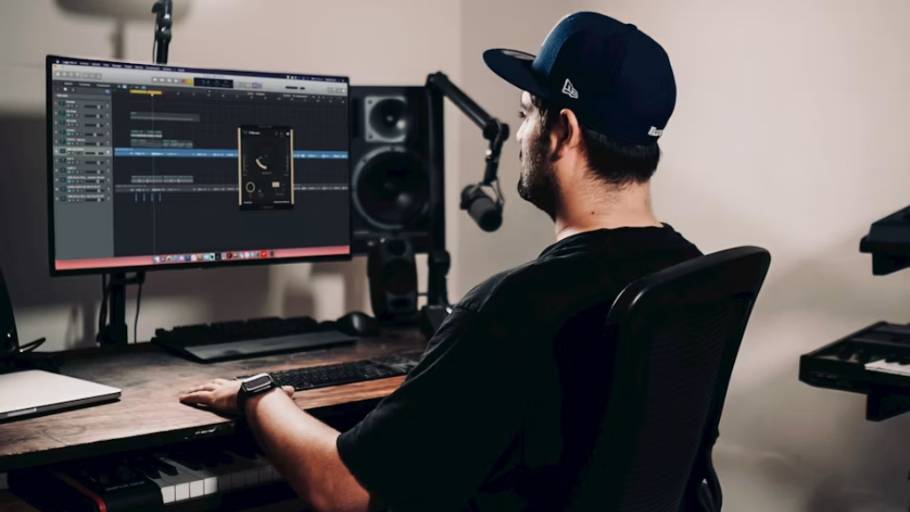
Best AI tools for content creators is one of those topics where the “best” list keeps changing because new tools launch every month and existing ones add features constantly. What worked for creators in 2024 isn’t necessarily what works now. Sora got discontinued in April 2026. Windsurf became Devin Desktop. Runway moved to Gen-4.5. Pika released 2.5. Half the tools I would have recommended a year ago either don’t exist anymore or have completely different pricing.
This guide on best AI tools for content creators covers what actually works in 2026 for the real stuff creators do every day: writing scripts, editing video, designing thumbnails, generating images, transcribing audio, scheduling posts. Real tools, real prices, and honest takes on which ones earn their place in a creator’s workflow versus which ones look impressive in demos but don’t fit real production.
What Creators Actually Need AI For
Before tool recommendations, it helps to think about what the best AI tools for content creators actually solve. The honest categories where AI delivers real value:
Script and content writing: Getting from idea to draft faster. AI doesn’t write your final script but cuts the time from blank page to working draft significantly.
Video editing: Specifically the boring parts. Removing filler words, cutting silences, syncing audio, basic color correction. AI handles the tedious editing while you focus on storytelling.
Thumbnail design: Generating concepts faster, removing backgrounds, creating consistent character images.
Voice and audio: Generating voiceovers, cleaning up audio, transcription for captions and repurposing.
Idea generation: Researching trending topics, generating angles on subjects, finding what’s actually working.
Repurposing content: Turning a 20-minute video into 10 short clips for different platforms.
SEO and metadata: Generating titles, descriptions, tags optimized for platform algorithms.
The best AI tools for content creators address these specific tasks. Tools that don’t fit one of these jobs probably don’t belong in your workflow no matter how impressive they look.
Script Writing and Content Generation
ChatGPT and Claude remain the foundation among best AI tools for content creators for any text-based work. Both have free tiers that handle most needs. Paid tiers ($20/month each) give significant additional capability.
ChatGPT works well for brainstorming, quick scripts, social media captions, video descriptions, and general content generation. The free tier handles most basic needs. Paid Plus gives access to better models and image generation.
Claude tends to produce more natural-sounding writing for longer scripts and detailed content. Many creators prefer Claude for serious script work because the output requires less editing. The 1 million token context window means you can upload all your previous video transcripts and ask for new scripts that match your voice.
The honest reality: neither writes finished scripts. Both produce drafts that need your editing, personal stories, and specific voice added. Treat them as accelerated brainstorming and structure tools rather than complete writers.
Jasper specializes in marketing copy and has features tuned for content marketers. Worth considering if you do significant brand work but ChatGPT or Claude handle most creator needs at lower cost.
According to the Stack Overflow Developer Survey, while most professionals use AI platforms daily for speed, human editing remains necessary to ensure absolute accuracy.
Video Editing AI Tools
This category has evolved fastest in the best AI tools for content creators space. Real productivity gains exist here.
Descript has become the default for spoken content creators. The text-first editing approach (edit your video by editing the transcript) saves significant time for talking-head videos, podcasts, and interview content. Features include filler word removal, eye contact correction (makes you look at camera when reading scripts), green screen without physical equipment, and Studio Sound for audio cleanup.
Descript pricing starts with a limited free tier. Paid plans run $15-30/month depending on features needed. The September 2025 update added metered AI features which affects heavy users.
CapCut dominates social media video editing. The free tier is genuinely powerful, particularly for vertical video for TikTok, Instagram Reels, and YouTube Shorts. AI features include auto-captions, voice cloning, background removal, and template-based editing.
CapCut Pro at around $10/month unlocks additional features but the free tier covers most creator needs for short-form content.
Runway Gen-4.5 is the current leader for AI video generation (since Sora was discontinued April 2026). Strong for B-roll generation, creative video elements, and short clips that would be expensive or impossible to film traditionally. Pricing runs $15-35/month depending on usage needs.
Pika 2.5 offers AI video generation focused on shorter creative clips. Good for specific creative effects rather than primary video production.
Veo 3.1 from Google offers strong AI video with 48kHz audio generation. Worth testing for creators in the Google ecosystem.
The honest reality about AI video generation: it’s gotten dramatically better but still works best for short clips, B-roll, and creative inserts rather than primary video content. Most successful creators use AI video as supplement to real footage, not replacement.
Thumbnail and Image Generation
Among best AI tools for content creators for visual work:
Midjourney v8 produces the highest quality AI images. The 2026 features include consistent character generation (place yourself in different scenarios for thumbnails without photoshoots) and YouTube-optimized image modes. Pricing starts at $10/month Basic, $30/month Standard.
The catch: Midjourney has a learning curve. Good results require understanding prompting. The output quality justifies the investment for creators making thumbnails regularly.
Canva with Magic Studio remains the practical choice for most creators. The free tier handles most thumbnail creation through templates and basic AI features. Pro at $15/month adds significant capabilities including the Magic Studio AI suite.
Canva works for creators who want fast results without learning complex tools. The trade-off is that Canva thumbnails can look generic without effort to customize.
Adobe Firefly has improved significantly and integrates with Creative Cloud if you’re already paying for that.
Leonardo.AI offers strong stylized imagery for creators wanting specific artistic looks.
DALL-E 3 through ChatGPT Plus provides image generation alongside text capabilities.
For most YouTube creators in 2026, the practical thumbnail workflow combines Midjourney for unique imagery with Canva for text overlay and final composition. The combination handles both unique visual concepts and the practical layout work.
Voice and Audio Tools
ElevenLabs leads voice synthesis quality among best AI tools for content creators. The free tier provides limited generation. Paid plans run $5-22/month for Starter to Creator tiers.
Use cases include YouTube voiceovers, audiobook narration, podcast intros, and creating consistent voice for multilingual content. The voice cloning feature lets you create AI versions of your own voice for content production.
Otter.ai handles meeting and content transcription. Free tier provides 300 minutes/month which covers most creators. Useful for converting video content into blog posts, finding quotable moments, and generating accurate captions.
Murf.ai offers another voice synthesis option with different voice library than ElevenLabs.
Adobe Podcast (formerly Enhance Speech) provides excellent audio cleanup, particularly for removing background noise from podcast recordings.
The honest take: ElevenLabs has become essential for creators making content in multiple languages or wanting professional voiceover without recording. Otter.ai is worth using even just for searching back through your own content.
Research and Idea Generation
Perplexity Pro at $20/month has become essential among best AI tools for content creators who research before creating. The web-connected research with sources beats trying to use general AI chatbots for current information.
Use cases include researching trending topics, finding statistics for content, fact-checking claims, and understanding what’s currently happening in your niche.
NotebookLM from Google is genuinely useful for processing multiple documents. Upload research papers, articles, or video transcripts and use AI to analyze them together. The audio overview feature creates podcast-style summaries that work surprisingly well.
VidIQ and TubeBuddy specialize in YouTube research. Both offer free tiers with paid plans starting around $9-49/month depending on features. Use them for keyword research, competitor analysis, title testing, and understanding what content is performing in your niche.
Google Trends remains free and remains useful for understanding what people are actually searching for.
Content Repurposing Tools
Opus Clip uses AI to identify viral moments in long videos and create short clips for TikTok, Reels, and Shorts. Free tier limited but useful for testing. Paid plans run $9-29/month.
Submagic automates short-form video editing including auto-captions, B-roll suggestions, and animated text. Useful for creators making heavy short-form content.
Vidyo.ai offers similar long-to-short video conversion.
The honest reality: AI clip-finding works decently but isn’t replacement for human judgment about what’s actually interesting in your content. Use these tools to speed up the work, not to fully automate the decision-making.
Social Media and Scheduling
Buffer with AI features handles social media scheduling. Free tier covers 10 posts in queue per channel which works for moderate posting frequency. Paid plans start at $5/month per channel.
Hootsuite offers more comprehensive social media management with higher pricing.
Later specializes in visual platforms (Instagram, Pinterest, TikTok).
Metricool combines scheduling, analytics, and competitive analysis at reasonable prices.
The AI features in these tools (caption generation, optimal posting time, hashtag suggestions) help but aren’t transformative. The scheduling functionality matters more than the AI additions.
SEO and Optimization
SurferSEO at $89/month handles content optimization for SEO-focused creators. Particularly valuable for bloggers and creators with text-heavy content strategies.
Frase at $15-45/month offers similar SEO content optimization at lower price.
VidIQ and TubeBuddy handle YouTube-specific SEO.
For most video creators, YouTube’s own native AI features and the platform-specific tools (VidIQ, TubeBuddy) matter more than general SEO tools.
Building Your Stack
The best AI tools for content creators work better as integrated workflow than random collection of subscriptions. Here are practical starter stacks:
- Solo YouTube creator (talking head content):
ChatGPT or Claude (free or $20) for scripts
Descript ($15-30) for video editing
Canva (free or $15) for thumbnails
Otter (free) for transcription
Buffer (free) for cross-posting
Monthly cost: $15-65 - Solo short-form creator (TikTok, Reels, Shorts):
ChatGPT (free or $20) for ideas and scripts
CapCut (free or $10) for editing
Canva (free) for graphics
Opus Clip ($9-29) for repurposing
Monthly cost: $0-80 - Established YouTube creator with longer videos:
Claude ($20) for scripts
Descript ($30) for editing
Midjourney ($10-30) for thumbnails
Canva ($15) for additional design
ElevenLabs ($22) for voiceovers when needed
VidIQ or TubeBuddy ($9-49) for SEO
Perplexity Pro ($20) for research
Monthly cost: $125-185 - Multi-platform creator with team:
Above tools plus
HeyGen or Synthesia ($29+) for avatar content
Submagic for team short-form
Hootsuite for centralized scheduling
Monthly cost: $250-400+
Most creators don’t need all these tools. The pattern that works is starting with 3-4 tools that solve your biggest time drains, mastering them, then adding others when specific needs emerge.
If you want to move past basic free tools and scale your digital content into a high-earning business, check out the Best Skills to Learn in 2026.
What AI Tools Don’t Do
The best AI tools for content creators have genuine limits worth understanding:
Original ideas remain human work. AI generates variations on themes but breakthrough ideas come from human observation, experience, and creativity.
Voice and personality can’t be faked. Even with AI tools handling production, what makes content distinctive is the creator’s actual perspective and voice.
Quality judgment requires humans. AI produces output. Knowing whether output is good for your specific audience requires human judgment.
Audience relationships are human. Subscribers follow you because of you. AI helps you produce more content but doesn’t build the relationships that matter.
Strategy needs humans. AI can execute tactics but choosing what content to make, why, and for whom requires human strategic thinking.
Trends require human observation. AI tools don’t predict what will resonate. They help execute ideas faster but the ideas come from being plugged into your audience and culture.
Mistakes Creators Make with AI Tools
Several patterns reduce the value creators get from best AI tools for content creators:
Subscribing to everything: 10 AI tool subscriptions costs $200+/month and most don’t get used regularly. Pick 3-5 that fit your workflow.
Publishing unedited AI output: Audiences detect AI-written content quickly. Use AI for drafts, add your voice, edit substantially.
Replacing voice with AI: The point of being a creator is your voice. AI handles production tasks, not creative direction.
Chasing every new tool: New AI tools launch constantly. Most are incremental improvements or duplicates of existing tools. Don’t switch unless you find significant productivity gain.
Ignoring data privacy: Free AI tools often use your content for training. For sensitive content, use paid tiers with better data handling.
Over-relying on AI thumbnails: AI-generated thumbnails can look generic. Use AI for components but compose deliberately for your brand and audience.
Treating AI as substitute for skill development: AI helps you do existing work faster. It doesn’t replace developing skills that compound over years.
Final Thoughts
Best AI tools for content creators in 2026 represent genuine productivity multipliers for creators willing to learn them properly. The tools handle tedious work (editing out filler words, generating thumbnail variations, transcribing audio, drafting scripts) that previously consumed hours.
What’s also true: the tools don’t make you a creator. They make existing creators more efficient and help skilled creators produce more. They don’t substitute for the foundational work of developing voice, understanding audience, and consistently producing content people actually want.
For creators getting started, the practical approach involves picking 2-3 tools that solve specific time problems in your current workflow rather than building elaborate AI stacks. ChatGPT or Claude for writing, CapCut or Descript for editing, Canva for design. That covers most needs for most creators starting out.
For established creators, the best AI tools for content creators justify their cost when they save measurable hours weekly. Calculate the time savings, multiply by what your time is worth, and compare to subscription costs. The math usually works for tools you use daily and doesn’t work for tools you use occasionally.
The AI tool landscape will keep changing. New tools will launch. Existing tools will add features or shut down (as Sora did). Pricing will shift. What stays constant is that creators who use these tools as production accelerators while maintaining their own creative direction tend to produce better content than those who try to fully automate or those who refuse to adopt AI at all.
The best AI tools for content creators are the ones you actually use consistently to make your specific content better. Everything else is just subscription cost and tab clutter.


Comments